


Cousins Maine Lobster
3.0378.00 Reviews
App Specs
- Version
- 112.20.91
- Updated On
- License
- Free
- Downloads
- 100,000+
- Developer
- Cousins Maine Lobster
- Categories
- Food & Drink
- Platform
- Android
Screenshots
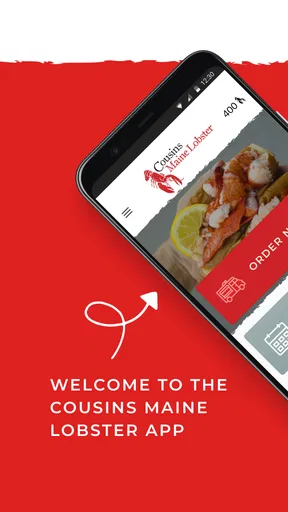
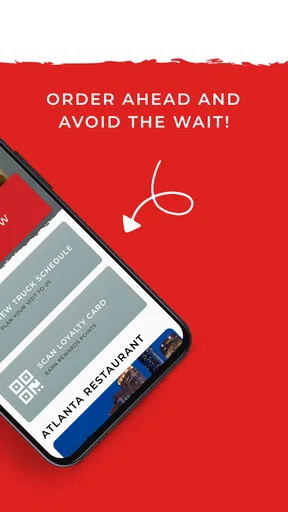
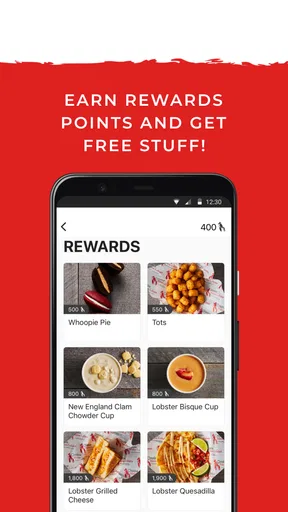
 Analysis by AppCompare
I approached Cousins Maine Lobster as a practical food-and-drink app rather than just another restaurant shortcut. Its main purpose is a loyalty program from Cousins Maine Lobster, developed by Cousins Maine Lobster, so the value depends heavily on whether you already buy from the brand or expect to do so regularly. I found that distinction important: this is not a general restaurant finder, a recipe app, or a broad delivery marketplace. It is a brand-specific companion designed to keep loyalty activity in one place.
That narrow focus can be useful, but it also explains why the experience may feel limited to someone opening it casually. The app is free, available to users rated Everyone, and has passed the 100K+ installs mark. Those figures suggest a meaningful audience, yet the average rating sits at 3.0 from around 673 ratings, with roughly 378 written reviews. I would read that combination as a sign to keep expectations realistic: the idea is straightforward, while the day-to-day experience may depend on location, timing, and how smoothly the app connects you with the brand’s current activity.
Where people usually get stuck before they can use the loyalty program
The first point of friction is understanding what the app is for. When I see a food app, I naturally expect menus, nearby locations, ordering, delivery choices, or restaurant discovery. Here, the central promise is loyalty. That means the app makes the most sense after you have decided that Cousins Maine Lobster is a place you want to return to. If you only want to compare seafood restaurants or find a quick meal nearby, a map app or a general ordering service will usually be a better starting point.
A second source of confusion is expecting every useful action to be available in the same way at every location. Food brands often operate through different venues, events, trucks, or local arrangements, and the customer experience can vary accordingly. I would not assume that a loyalty-focused app automatically replaces the information provided at the point of purchase. If you are visiting a truck or event, check the instructions shown there and keep your receipt or purchase details until you are sure the visit has been recognized.
That small habit matters because loyalty apps are most frustrating when the customer walks away before noticing that something did not register. I prefer to check the account immediately after a visit, while the transaction is still easy to remember. If the app shows a balance, visit history, reward status, or another form of progress, confirm that it looks sensible before closing it. The exact screen may vary with the current version, but the principle is the same: verify the result while you are still at the meal or shortly afterward.
Another common mistake is treating a delayed update as proof that the purchase failed. Mobile apps sometimes need a fresh connection or a new session before account information catches up. Reopening the app, moving between screens, or signing out and back in can be a reasonable first response, provided you know your login details. I would avoid repeatedly submitting the same action, because duplication is more confusing than a short delay.
The app’s current version is 112.20.91, and it supports devices running Android 7.0 or later. That makes compatibility fairly broad for Android users, but an older supported operating system does not guarantee identical performance on every phone. A device with limited free storage, an outdated system component, or aggressive background restrictions can still make an otherwise compatible app behave poorly. Before blaming the loyalty account, I would check whether other apps are also slow or failing to connect.
Worth Reading Before You Choose

EA SPORTS FC Mobile 26 Is a Bigger Football Game, but It Takes Time

Flipboard Shows What News Apps Must Do Beyond the Feed

Switching to Android Auto Means Rethinking Your Driving Routine

Google Calendar Makes a Crowded Week Easier to Manage

Ludo King Makes the Most of the Minutes Between Plans

Baby Panda World Brings Quick Play to Modern Phones, but Its Game Library Feels Busy
What I would check before a first visit
My first setup check would be simple: install the app on a stable connection, open it once at home, and complete any account steps before standing in line. This avoids trying to create an account with one hand while carrying food with the other. It also gives you time to notice whether the app accepts your details and whether you can reach the part of the experience you actually need.
I would also make sure the email address or sign-in detail used during setup is one I can access easily. Loyalty programs are only helpful when progress is attached to an account you can recover. Using a temporary address, an old inbox, or a login that you cannot remember creates unnecessary trouble later, especially if you replace your phone. A password manager can help, but even writing down the account email in a safe place is better than relying on memory.
Do not wait until the checkout moment to discover that your phone is offline. If you are heading to an outdoor location, a food truck, or a busy event, load the app before you arrive. A weak signal can affect sign-in, account refreshes, and any step that needs a live connection. This is one of the most practical differences between a loyalty app and a physical punch card: the digital record is convenient, but it relies on the phone and network working when you need them.
I would keep the application updated through the normal app store process, particularly if an older installation begins acting strangely. Updates can resolve compatibility problems, but they can also reset a session or change where a familiar control appears. After updating, open the app before your next purchase rather than assuming everything remained exactly as it was. If you use automatic updates, that quick check is still worthwhile.
Notifications deserve a sensible approach. If the app asks for notification access, decide based on how often you want loyalty-related reminders rather than accepting every prompt automatically. Someone who visits Cousins Maine Lobster often may appreciate timely information, while an occasional customer may find extra alerts distracting. The important point is that notifications should support your routine, not become the reason you ignore the app.
I would not grant broad trust to the app simply because it belongs to a food brand. Use the normal Android privacy controls, review what the system displays during installation, and keep your device protected with its usual lock method. This is not a reason to avoid the app; it is a good habit for any account-based service that stores personal sign-in information.
A reliable routine for recording a visit and checking progress
My preferred workflow is to prepare before ordering, identify the account I intend to use, and then check the loyalty result immediately after the transaction. If a staff member provides a specific instruction for using the program, I would follow that rather than guessing. Brand-specific programs often depend on the customer taking one correct step at the right time, and guessing can lead to a missing visit or a delayed reward record.
Afterward, I would refresh the account once and look for a clear change. I would not keep tapping if the screen appears frozen. Instead, I would note the approximate time and location of the purchase, preserve any receipt, and try again later on a reliable connection. That creates a useful record if support is needed and prevents a stressful conversation based only on a vague memory that “it did not work.”
This is also where the app can be more convenient than paper cards. A physical card can be lost, bent, or left at home; a phone-based account is easier to carry. The trade-off is that a paper card works without battery life, mobile data, or an active session. For that reason, I see the app as a helpful supplement for regular customers, not as a reason to discard every offline backup habit. Keeping a receipt until the visit appears is a sensible middle ground.
If you use more than one email address, be especially careful not to create separate loyalty identities by accident. A duplicated account can make progress appear to vanish when it is actually attached elsewhere. Before registering again, I would try the original sign-in method and check whether the account is simply logged out. Creating a second profile should be a last resort, not the first troubleshooting step.
Phone changes are another realistic test. When moving to a new device, install the app, use the same account details, and confirm that your loyalty information is present before deleting the old installation. If you still have the previous phone, compare the account identity rather than assuming the app has lost everything. The key question is usually whether you are using the same account, not whether the new handset is defective.
When the app is probably not the real problem
Sometimes the difficulty happens outside the application. A location may be busy, a truck may have changed its schedule, or a particular event may handle purchases differently from a standard visit. In those situations, repeatedly reinstalling the app will not solve the underlying issue. I would first confirm the venue’s current instructions and ask a member of staff what action is expected for loyalty credit.
Network conditions can create the same illusion. If a webpage, map, or messaging app also struggles, the loyalty screen is unlikely to be the only cause. Try a trusted Wi-Fi connection or a stronger mobile signal, then reopen the app. Avoid using public networks for sensitive account activity when you can wait for a safer connection, and never share your password with someone offering informal technical help.
Battery-saving tools can also interfere with apps that need to refresh while you move between locations. If the app works at home but fails outdoors or after sitting in the background, check the phone’s battery and background-data settings. I would change only the relevant restriction, test the app, and return settings to normal if there is no improvement. Broadly disabling every security or battery control is unnecessary.
Clearing an app’s cache can be a reasonable Android troubleshooting step when screens remain stale, but clearing storage is more disruptive because it may remove the local session. Before doing that, make sure you know the account sign-in details. I would try force-closing and reopening first, then restarting the phone, then updating the app. Reinstalling comes later, after confirming that the account can be accessed again.
Support questions are easier to resolve when they include useful context. I would record the device model, Android version, app version, approximate visit time, location, and the exact screen or message involved. I would not send a password, full payment details, or unnecessary personal information. A concise description such as “the visit did not appear after reconnecting and reopening” is much more actionable than a general complaint that the app is broken.
Who gets the most value from this specific app
I think the strongest audience is a returning Cousins Maine Lobster customer who wants a digital way to stay connected to the brand’s loyalty program. If you already know where and when you usually buy, the app can fit naturally into that routine. It is also a reasonable choice for someone who dislikes carrying paper loyalty cards and is comfortable checking account activity on a phone.
It may be useful for households where one person is usually responsible for ordering or visiting. Establishing one consistent account and checking it after each purchase can reduce the confusion that comes from several people using different emails. I would still make sure everyone understands which account is being used, because convenience disappears when loyalty activity is split across profiles.
Occasional visitors should think about the trade-off. The app is free, so there is little financial risk in trying it, but setup time still has a cost. If you rarely encounter Cousins Maine Lobster, a loyalty program may not change your decisions enough to justify another account on your phone. In that case, using the brand when convenient and keeping the purchase record may be simpler than building a regular digital routine.
I would skip it if your main need is broad restaurant discovery, price comparison, nutrition research, or ordering from many unrelated businesses. A general food marketplace, map service, or the restaurant’s other official channels may suit that job better. This app’s narrow purpose is its main strength for loyal customers and its main weakness for everyone else.
How it compares with paper cards and general food apps
Compared with a paper loyalty card, the app is easier to keep with you and less likely to be forgotten at home. It can also feel cleaner when you want to check your status without searching through a wallet. However, paper has one major advantage: it does not need an operating system, an app update, a charged battery, or a network connection. If your visits happen in places with unreliable reception, the physical alternative can be less stressful.
Compared with a general food app, Cousins Maine Lobster offers a more focused relationship with one brand rather than a wide selection of restaurants. That focus can make sense when loyalty matters more than browsing. It is a poor replacement for a marketplace when you want to compare cuisines, delivery options, or businesses in the same neighborhood. I would use each tool for its intended job instead of expecting one to cover the other’s strengths.
The rating of 3.0 is worth keeping in mind before you make the app central to every visit. It does not tell me that the concept is useless, but it does encourage a backup-minded approach. I would install it, test the account before ordering, and keep purchase evidence until the loyalty activity is visible. That routine protects you from the most common practical disappointment without turning a simple meal into a technical project.
For Android users, the minimum requirement of 7.0 or later means the app is not restricted to only recent phones. Still, compatibility is not the same as a perfect experience. If your device is old, heavily customized, or short on storage, the usual alternatives may feel more dependable. A physical loyalty method, where available through the brand’s normal process, avoids many of those device-specific variables.
My practical verdict after weighing the everyday trade-offs
I see Cousins Maine Lobster as a focused loyalty tool that can be worthwhile when the brand is already part of your eating routine. I like the basic idea of replacing a paper record with something attached to an account, but I would not install it expecting a complete restaurant platform. The app earns its place when you visit often enough to care about loyalty progress and are willing to perform a quick check after each purchase.
The best way to use it is deliberately: set up the account before the visit, confirm the correct sign-in, prepare for weak connectivity, follow the location’s instructions, and verify the result afterward. If something fails, troubleshoot the connection and session before assuming your loyalty history has disappeared. Keep receipts or other purchase evidence temporarily, and avoid creating duplicate accounts just because the first refresh is slow.
My recommendation is therefore conditional but positive for regular customers. Try it if you want a free, brand-specific loyalty companion and your phone is a dependable part of your ordering routine. Be more cautious if you visit rarely, need offline reliability, or are looking for a broad food discovery service. With those expectations in place, the app can be convenient; without them, its narrow purpose and possible setup friction may make a simpler alternative the better choice.
In short, I would treat it as a useful loyalty add-on, not as the whole Cousins Maine Lobster experience. Its value comes from consistent use and careful account handling, while its limitations become obvious when the network, device, venue, or customer need falls outside that narrow routine.
Pros
- Easy access to the food truck’s locations and operating hours
- Menu browsing helps plan orders before visiting a truck
- Seafood-focused menu offers more variety than typical food trucks
- Convenient way to discover nearby Cousins Maine Lobster events
- Brand information and updates are available in one place
Cons
- Location schedules can change
- so listings may not always be current
- The app may be less useful in areas without a nearby food truck
- Popular trucks can have long waits during busy meal periods
- Seafood prices may feel high compared with other quick-service options
- Some menu items and promotions may vary by location
FAQs for Cousins Maine Lobster
What is the Cousins Maine Lobster app used for?
The Cousins Maine Lobster app is designed to help fans find the brand’s food trucks, check upcoming locations, and discover available menu items. Depending on your area, it may also provide information about restaurant locations, catering options, promotions, and ordering features. Availability can vary by city, so users should confirm that the app supports their local Cousins Maine Lobster service before downloading.
Can I order lobster rolls or other menu items through the app?
Ordering availability depends on the location and service offered in your region. In some areas, the app may direct you to a nearby food truck, restaurant, or supported ordering platform rather than processing every order directly. Menu items may include lobster rolls, lobster bisque, lobster grilled cheese, seafood meals, and sides, but prices, options, and availability can change by location.
Does the app show where the Cousins Maine Lobster food truck is located?
One of the most useful features is the ability to look for upcoming food truck stops and nearby Cousins Maine Lobster locations. Users can typically browse locations or events and check dates, times, and addresses when information is available. Food truck schedules can change because of weather, private events, traffic, or operational issues, so it is wise to verify details before traveling.
Is the Cousins Maine Lobster app free to download?
The application is generally free to download, although normal mobile data charges may apply when using it away from Wi-Fi. Downloading the app does not necessarily mean that food, delivery, service fees, or event charges are free. Prices depend on the menu and location, while any optional purchases or ordering costs should be reviewed carefully before confirming an order.
What information or permissions does the app require?
The app may request access to location services so it can show nearby food trucks, restaurants, or events. It might also use notifications to send updates about schedules, promotions, or new locations. These permissions are usually optional in the device settings, although disabling location access may limit convenience. Before installing, users should review the current privacy policy and app-store permission details.


